
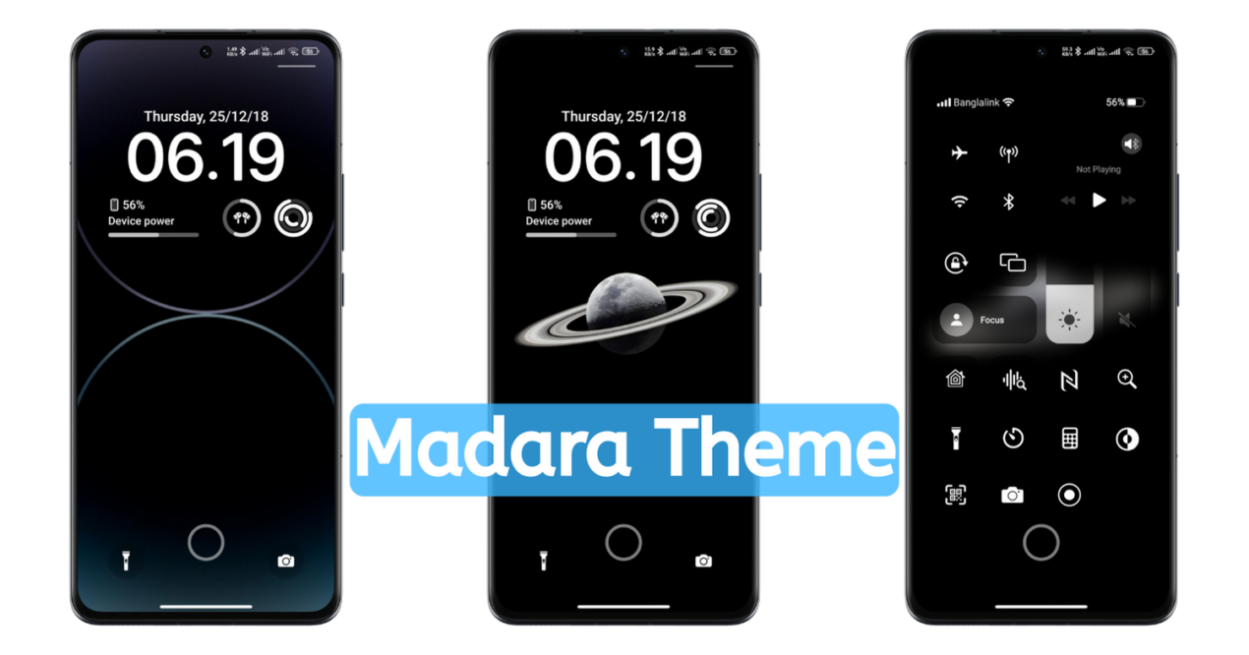
Madara Theme MIUI is a premium HyperOS Theme featuring a lot of customisable Lockscreen, including other premium iOS Experience. In this freemium we can find a lot of cool features that make the personalization of your Xiaomi phone better, eyepleasing and revamped without root. Yes, the biggest positive surplus of these Xiaomi themes is that you can apply them easily without rooting your device. Also, here you will get a better iOS-style experience with a bundle of customization options in the Lockscreen. So, here’s Tema Madara Xiaomi for your Xiaomi Phones.
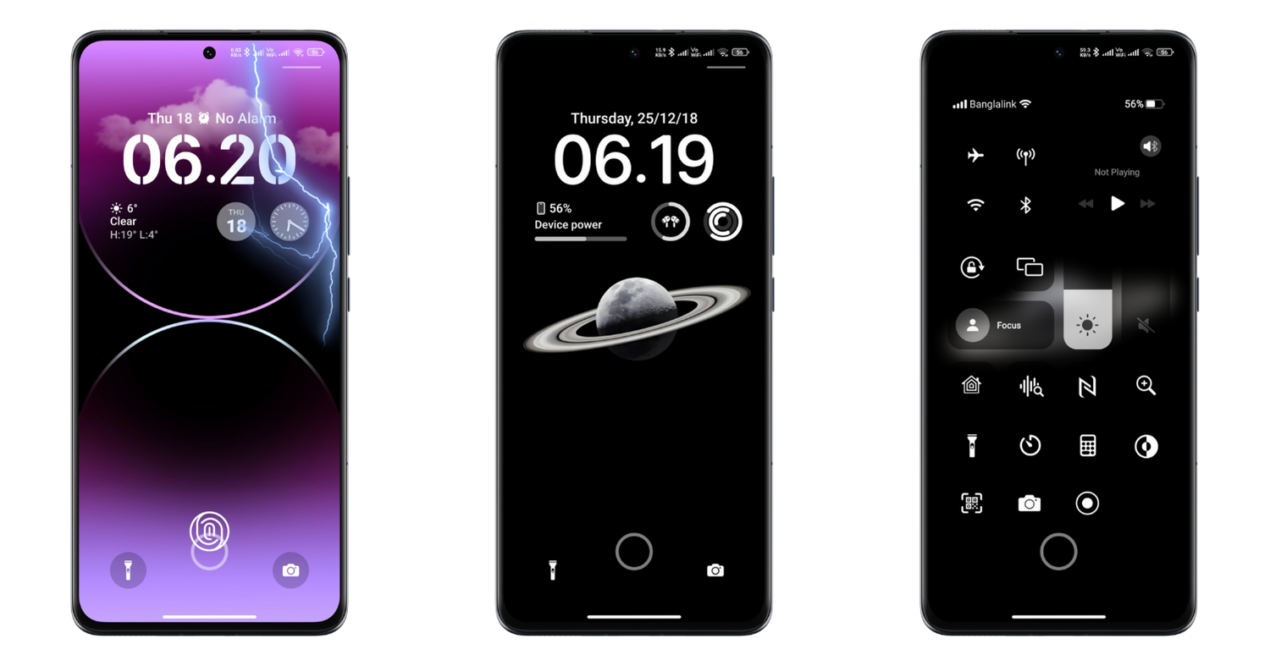
Whether you are a Xiaomi, Redmi or POCO users you all get this beautiful theme to install and explore it’s enlarge customization options. Yes, this Madara Theme sets all the premium customization needs, whether it’s the Home screen, Lockscreen, Control Center, or its App Icons. In every aspect, this theme magnifies your personalization experience with your phone.
Madara Theme MIUI with iOS Experience and Lockscreen Customization
Madara Theme hyperOS is one of the Best HyperOS Themes. In this Tema Madara, the Xiaomi phone users get a majority of customization options, which are rarely found in other themes in the theme store. Yes, here we can find several premium options that can be unlocked by entering the password in the theme customization option.
With these premium customization tools, one can customize their Redmi phone with a large number of wallpapers, Live Effect, Extra custom wallpapers, emojis, fingerprints, and many more.
From here, the users can also set the custom widgets for clock, date, and other minimal useful widgets in Lockscreen. Besides, you can also set the Fingerprint Animation in this theme in lockscreen.
Customization Features of Tema Madara Xiaomi
Hope you get the key understanding about this theme. As I already mentioned, it is one of the Best MIUI Theme so here you will get the key features that make your customization even better than before. So here’s the key personalization option that you can try to make your phone better for a better User Experience.
iOS Control Center
The first key feature of this theme is its customization options. Yes, with these customization features, you can enable the iOS Control Center in your HyperOS & MIUI. You can allow this iOS Control Center from the Lockscreen on your phone. For that, you have to unlock the theme features from the Customise option from Theme Store App.
With this beautiful control center, you will get an iPhone-inspired Control Center that looks really premium and eye-pleasing. Yes, it’s really impressive, but not similar to iOS, but still looks premium and inspired by the source.
Dark iOS App Icons
Although the world is pushed towards the Liquid Glass App Icons, you have another best alternative for you. This Madara Theme MIUI features the Dark iOS Icon Pack. Yes, it’s also inspired by original iOS App Icons and here in black order, it looks premium and better.
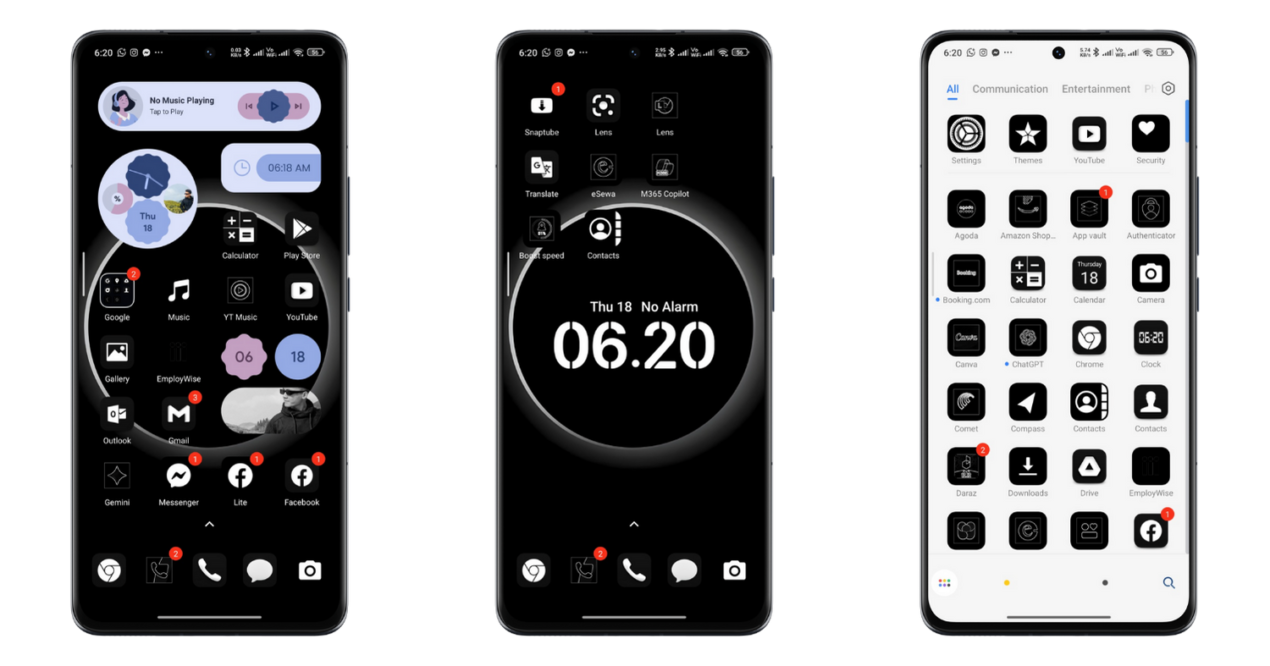
Yes, these app icons are really impressive and look premium. With this app icons you will get a better UI experience in your Homescreen. Although this app’s icons are inspired, it looks premium and natural too, but it may not be likely to some of the users.
Homescreen Widgets
Are iOS App icons enough to personalize your Home screen? Definitely not, so here we can also find the beautiful app widgets to set in Homescreen. With preset app widgets of clock, weather, and other app widgets sets your Homescreen to look more pleasing and eye-catching.
Although the homescreen app widgets are super limited, you will find all these app widgets more useful and definitely magnify your Homescreen layout. So, that’s another cool customization part of this Madara theme for HyperOS and MIUI.
iOS Control Center
We all know that the control center of the iPhone is really amazing. It also looks super premium, so now you can get a similar control center experience in your Redmi POCO Phones too by applying this theme. After using this theme, you will get access to the iOS Control Center.
With this Control Center, you will have access to the quick, useful features similar to your default HyperOS MIUI Control Center. Yes, from here you will get easy control over your Brightness, Volume, Wi-Fi, mobile Data, lockscreen oriention and many more. For easy access, you can access it from the Lockscreen of your phone, placed in the top right edge.
Focus Mode
Focus mode presets your daily modes and rooutines. You can enable this Focus Mode from customize setttings of the theme, so it makes it easy to set your modes and routines for easy access. You can also access these features from the lock screen of your phone, which also looks premium and eye-pleasing.
Lockscreen Customization: Premium Unlocked
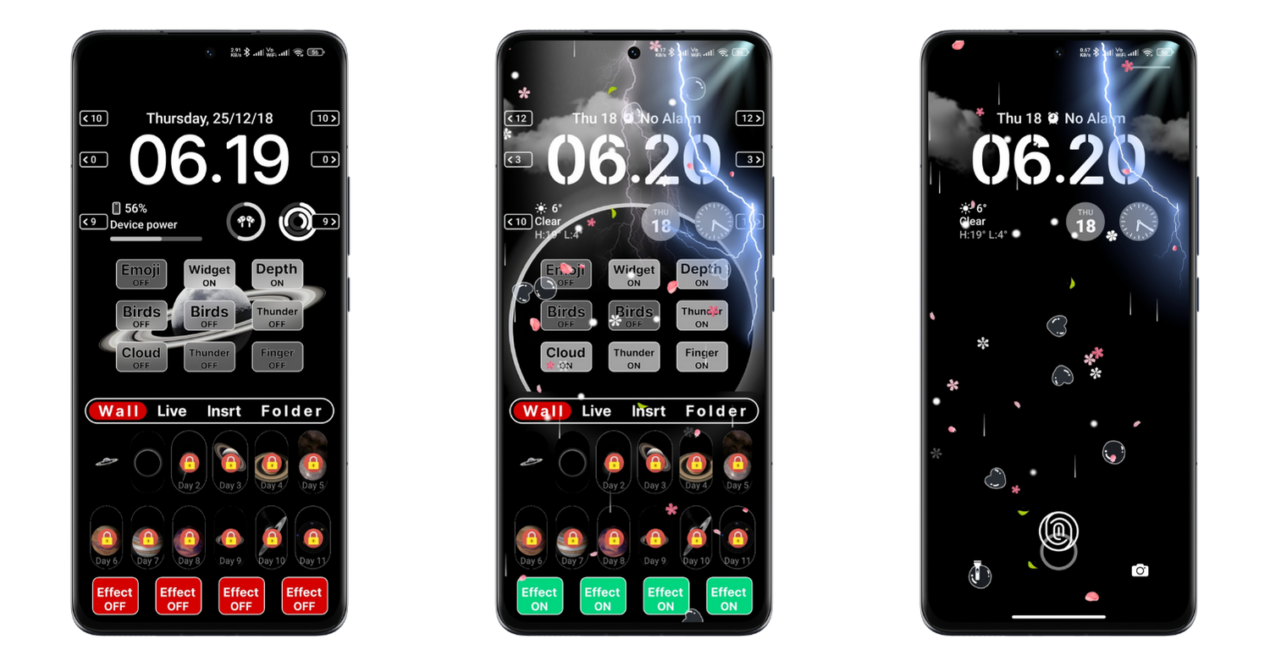
The major portion of customization is occupied by its lockscreen customization. Yes, here you will get an unlimited customization option in the Lockscreen. Yes, here you can set the different lockscreen layouts, different premium wallpapers, live wallpapers and live effects easily.
Likewise, here’s an easy option to turn on/off different widgets, and customization option including the lockscreen effects. As it’s based on iOS Theme, here you will get iOS-style app widgets for the lockscreen and many more.
Other minor Changes
After applying this theme, you will notice the minor changes in other parts of your UI too. Primarily, it changes your Home and lockscreen layout, the System Settings Icons, and connectivity icons like Wi-Fi, Mobile Network icons in the status bar.
Madara Theme Xiaomi Details
Tema Madra MIUI is a freemium theme for Xiaomi that sets all premium unlocked customization features for your Xiaomi phones. With these premium free themes, you can personalize your phone in the best way to get the best User interface. So, here are the key details to be noted before downloading this Madara Theme HyperOS.
Download Madara Theme MIUI
So, if you are ready to setup and explore all these all premiuum customization in your phone now, then you can download this Theme Madara HyperOS rightnow from here. To make it easy, we have shared the Official Link and other alternative GDrive links to make it easy to download based on your requirements.
If your region doesn’t support the Official Store Link, then you can download the MTZ File from the above link. As the MTZ File can be easily imported from custom and region-based ROMs which is difficult in Global ROMs.
So, it’s recommended to download from the official store link if your region supports it.
Process to Download and Customize the Madara Theme Xiaomi
So here are the simple and quick steps to be followed to install/ apply and then customize this theme.
- Tap on the official store link, and it will redirect you to the Theme Store, where you can find this theme.
- Tap on Download, and it starts downloading.
- After downloading, tap on APPLY, it pop-up compatibility issue, so tap on Got it.
- That’s it.
How to Customize: After applying this theme, get back to the Home of the Theme Store App and then My account>Lock style>Customise>Enter the password ‘BANGLADESH’, that’s it. Now, let’s begin customizing with a large number of options.
Conclusion
Madara Theme MIUI features all premium customization options includindg the home and lockscreen of your phone. It also features the iOS-style experience with beautiful iOS App Icons and Control Center. So, you can download this beautiful Tema Madra Xiaomi to explore all the premium iOS Experience and Lockscreen customization features at all.