

KittyUI v4 MIUI Theme is one of the most downloaded premium themes for HyperOS. In this theme, we will get all the premium features to personalize your Xiaomi phones. So, whether you love the Dynamic Theme Experience or Premium iOS Style Dynamic Island, then it is one of the best HyperOS Themes that you can try once. All the premium sets are included without root to your phone. Here’s the KittyUI v4 HyperOS Theme that you can try to unlock all the premium personalization options.
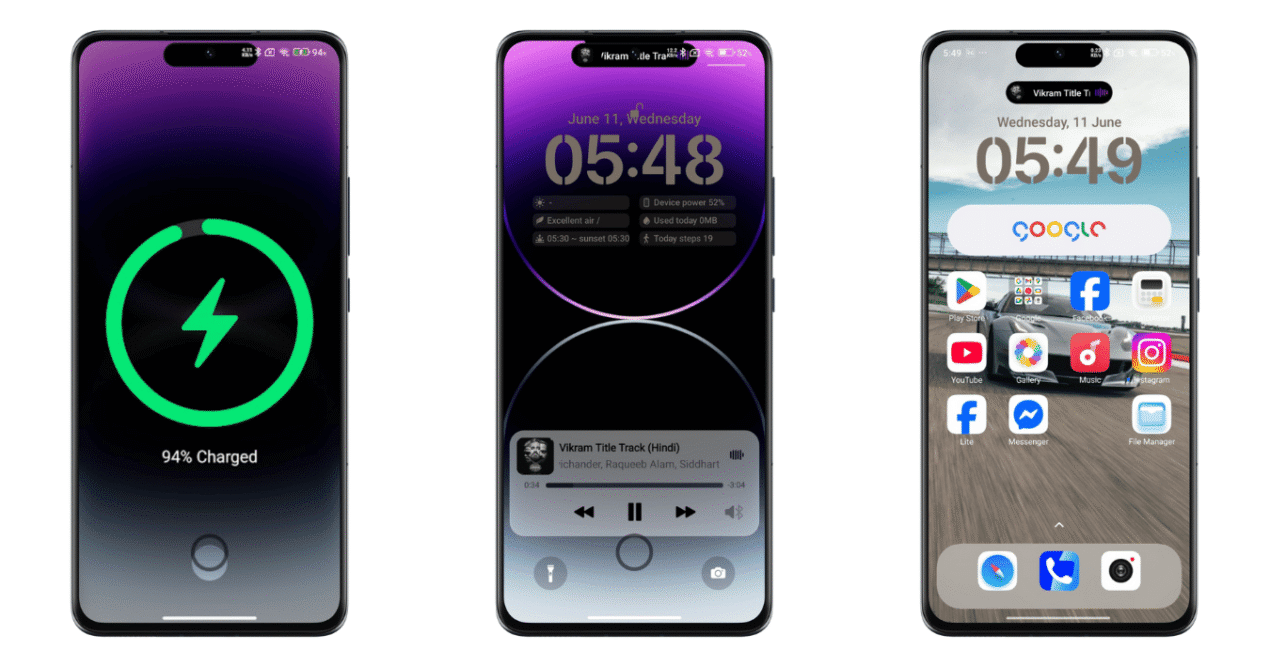
In this KittyUI v4 Theme, we can find all unlocked premium features. By unlocking it from the Customization settings in Themes, you will be able to customize it in your own way. Here you have an option to change the lockscreen widgets design, colors, add/remove the widgets and also customize the Dynamic Island easily. Besides, there are a lot of customization options that make it one of the premium themes.
About KittyUI v4 HyperOS Theme
KittyUI v4 Xiaomi Theme is a fully optimized and all-in-one theme that features the experience of iOS, a Dynamic Theme with a lot of premium unlocked features. Yes, here we can find a lot of premium features, which is why it is one of the most searched and beautiful themes as of now. If you want to get a Dynamic Island experience, like iPhone or are still waiting for HyperOS 3.0 Update to get HyperIsland Features, then till then you have an easy option to experience it on any Xiaomi phone.
Also, the Premium Dynamic App Icons are really impressive and eye-catching. Yes, the premium dynamic app icons are really impressive and inspired by iOS App Icons. So, here you will get an iPhone-style user experience in Homescreen. Besides, the support of focus mode makes it more similar to the iPhone. With focus mode youu can set the different Modes based on your requirements.
Similarly, there’s a beautiful iOS Charging Animation in this theme that works perfectly while charging your phone. It’s really impressive and looks premium in your Xiaomi Redmi phones. Besides all these, there’s larger than life experience in its lockscreen due to a lot of customization options. Also, here you will get the most refined Control Center.
Key Features of KittyUI v4 MIUI Theme
Here you will get Dynamic App Icons, HyperIsland similar to Dynamic Island by Apple, iOS App Icons, Focus Mode, iOS Charging Animation, including the beautiful Control Center. So let’s get a breakdown of every specific feature of KittyUI v4 Xiaomi Theme.
Dynamic Island: for HyperIsland Experience
In this KittyUI Theme, you will find a premium Dynamic Island similar to iOS. Yes, by unlocking this theme, you will be able to set and customize the Dynamic Island easily. With this dynamic island, you can take control of the multimedia easily. Yes, you can play/pause/next the music playback easily from this beautiful Dynamic Island in your Xiaomi Phones.
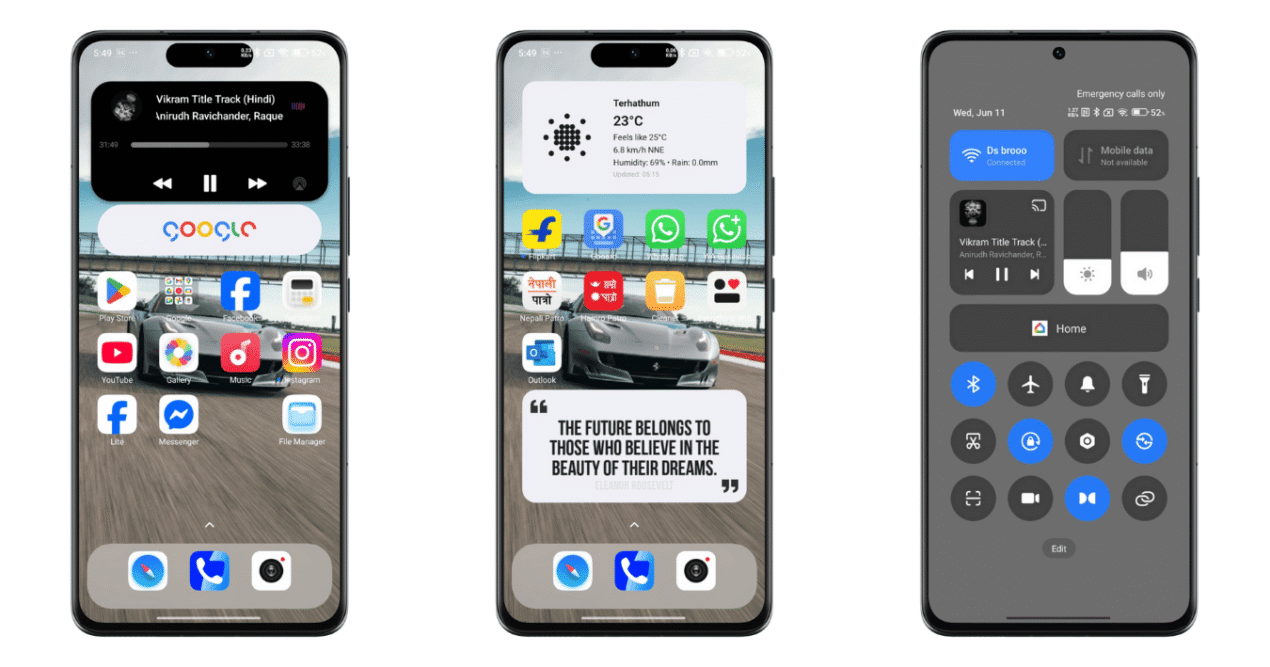
Dynamic Icons: Optimized iOS App icons
The App icons in this premium theme are really impressive. Similar to iOS, here you will get more refined app icons, which are similar to iOS. Not all, but the majority of the default app icons are inspired by iOS, which looks natural and more premium. Besides these, some of these app icons are also modified and look more natural as it’s re-designed in a dynamic nature.
Focus Mode: Set your Modes and Routines
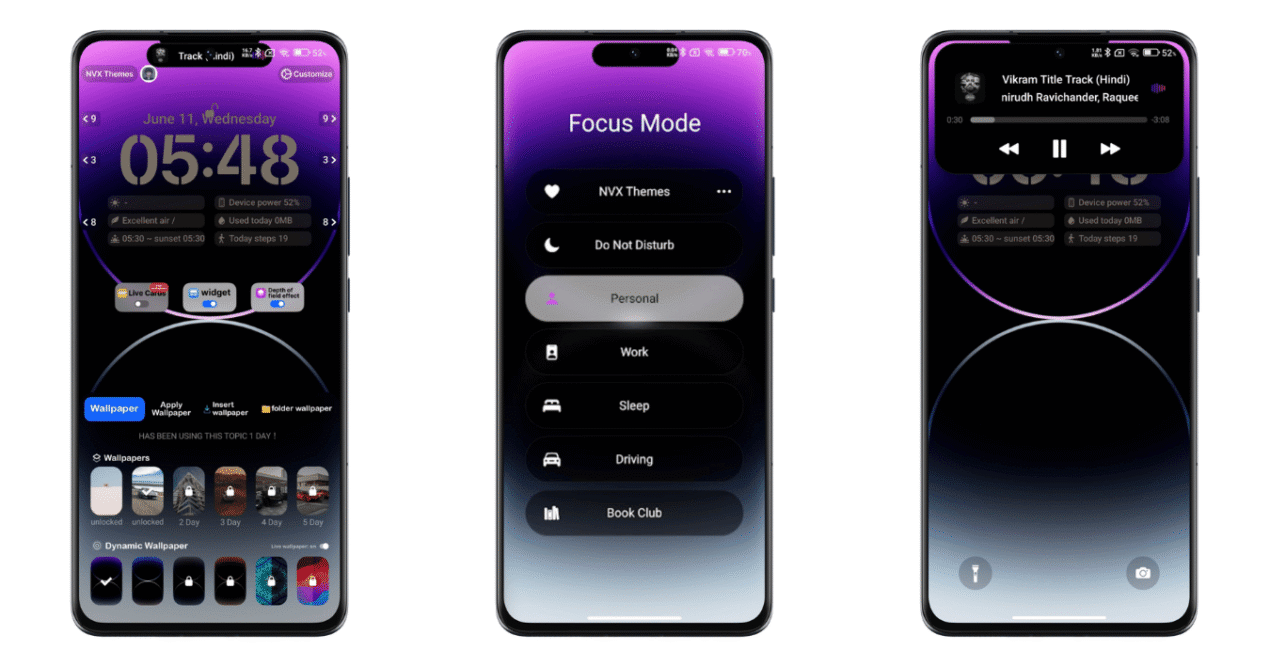
As you have seen, the Focus mode in iOS. With focus mode, you can set the different Modes and Routines as per your needs. So, similar to iOS, you can set the different Modes and Routines easily. But remember it’s just the dummy features that acutually doesn’t work. Although it’s one of the premium parts of this theme, this Focus mode in KittyUI v4 MIUI Theme doesn’t work; it’s just an animation.
Charging Animation: Get Premium Charging Animation like iOS
Here you will get the beautiful Charging Animation similar to the iPhone. Yes, this charging animation works fine while your phone is plugged in. Personally, I love this beautiful Charging Animation, which looks premium and eye-pleasing too. By unlocking this theme, you can get this beautiful charging animation in this theme.
Control Center: Redesigned iOS Control Center
If you love the iOS Control Center, then that’s here with this KittyUi v4 Theme. Yes, after applying this theme, you will get this beautiful Control Center, which looks premium and better. Similar to your default HyperOS Control Center, here you will get a more redesigned experience that makes your phone better in UI.
Premium Unlocked: Experience a large Lockscreen Customization
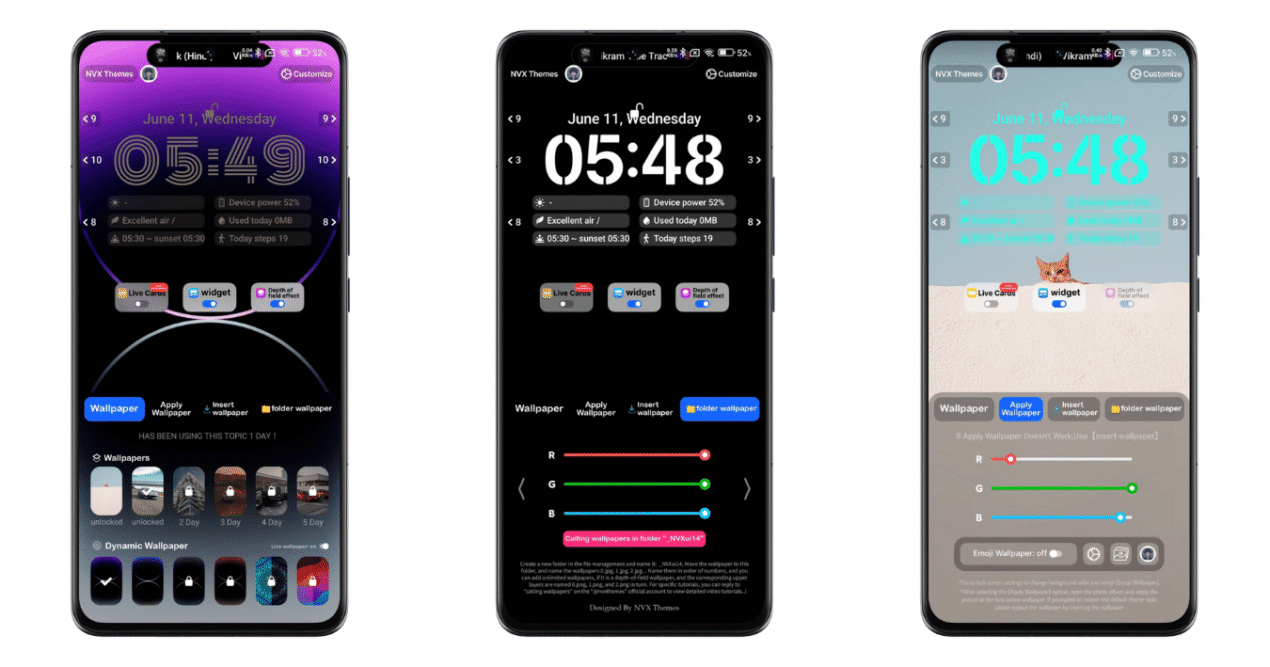
KittyUI is one of the most premium themes in Xiaomi Themes World. So, here you will get all the premium features for free. Yes, in this HyperOS Theme, you will get a large number of customization options. Here you can customize its lockscreen layout with the different widgets, layouts, fonts, wallpapers and many more.
KittyUI v4 HyperOS Theme Download
If you are okay with the above details of this theme, then you can download it directly from the official theme store link or using the MZT File of this theme. After applying, you have to unlock and explore the premium customization options easily. Here we have shared the official download link, including the direct file download link for you.
Password: CAT17
Process to Install & Customize KittyUI v4 Theme
Here’s the simple process that you can follow,
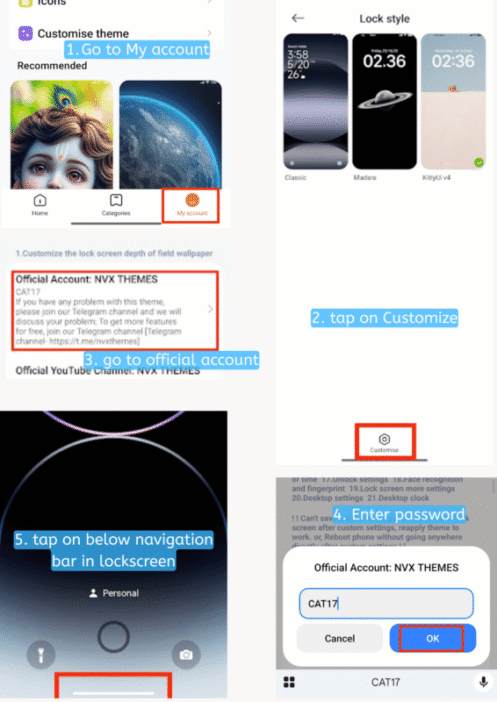
- Tap on the official theme link, then tap on Download. It starts downloading your theme,
- After that, tap on APPLY. It may pop up a ‘compatability issue’, so tap on got it.
- Comeback to the Homescreen of the Theme store app, then go to My account>Lock style,
- Tap on customise,
- Go to official account: NVX THEMES, replace all the before url and insert the password, CAT17, then tap on OK,
- That’s it.
Now, let’s begin customizing every feature from this option as per your needs.
Lockscreen Customization Guide
From lockscreen, double-tap on Edge Bar shown at the bottom of your Lockscreen (Its White Long Edge Bar shown in your Lockscreen).
Conclusion
KittyUI v4 MIUI Theme is a premium theme that features the premium loskcreen customziation, including the Dynamic Island and other Dynamic experience. Here you can get all the details of this KittyUI v4 HyperOS Theme and download it to explore all personalization options in your Xiaomi phones.